Showing posts with label Personal Computers. Show all posts

Thursday, November 28, 2019

November 28, 2019 | Posted in by Daiki | No comments

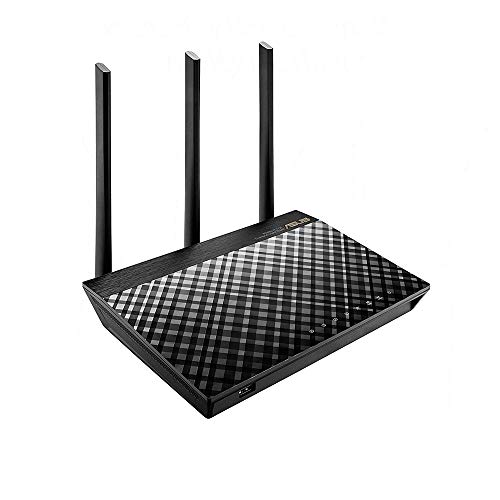
ASUS RT-AC66U B1 AC1750 Dual-Band WiFi Router, AiProtection Lifetime Security by Trend Micro, AiMesh Compatible for Mesh WiFi System

ASUS RT-AC66U B1 AC1750 Dual-Band WiFi Router, AiProtection Lifetime Security by Trend Micro, AiMesh Compatible for Mesh WiFi System

The Asus AC66u b1 and Netgear R6700 V3 are the two best under $100 routers you can buy. I own both and will review them against one another (go to the bottom of the review for quick recap). Quick history on both

Hardware

Netgear R6700 v1 was basically the R7000 minus one USB port and the inability to connect at 600mbps in the 2.4ghz radio channel (pointless unless you have an AC 1900 client). Netgear then switched factories and used a Mediatek CPU chip instead of the broadcom found in the v1 version, this version was labeled the 6700 v2 (also has a sticker on the package stating "dual core CU" rather then "1GHZ dual core" on the V1 & 3) and is often sold in Amazon Warehouse so be careful about purchasing a used R6700 router. The Mediatek chip is subpar in performance compared to Broadcom. Netgear switched factories again and the current new V3 version uses a BCM4708C0 CPU chip along with Broadcom radio chips BCM4360 & 4331.

The Asus AC66U (no B1) was originality a draft AC router using the same CPU chip and plastic housing as the Asus RT-N66U just with an additional AC radio. Asus then upgraded the router by using the exact same hardware as in the Asus AC68U 1900 AC router and placed it in the new AC66U B1 router while still using the old plastic housing. So yes, the AC66U B1 is a 1900ac router, not a 1750 router. I know this as I have a 1900AC wifi card in my PC and it will in fact connect at 600mbps on the 2.4 wifi signal. If you don't have a 1900 client then the point is moot and remember most clients are 2x1 or 2x2, even modern cell phones and laptops. The Asus AC66u B1 uses the same BCM4708C0 CPU as the Netgear R6700 v3 with the broadcom BCM4360 radio chip.

Both routers also use 128mb and 256mb of memory and offer beam forming (you also need a client to support beam forming for it to work)

Optional firmware (if interested)
both will run ddwrt & tomato, the Asus also gets Merlin's version of Asus Firmware.

Review
Pros - Netgear R6700
Fantastic range on the 2.4ghz and 5ghz signal & Fantastic throughput on the 5ghz signal. My router is on the main floor; standing in a far corner bedroom upstairs from the router (about 30ft from the router plus floor/walls) I receive 80-85mbps down on 5ghz while standing next to the router I would get 110mbps down on 5ghz. Signal strength comes in "good" as per my 2x2 AC client laptop. Upload speeds were also excellent on the 5ghz signal.

Stable router and firmware, once i set the SSID I've had no issue with the router with no need to reset it. Setting up the router was about a 4 out of 5. The software is OK and firmware took a while to update. Setting up network names and passwords was fairly easy through the web page.

Router runs cool thanks to its large plastic housing.

Cons- Netgear R6700
Mediocre throughput on the 2.4ghz signal. While the signal is strong I received 65-70mbps down regardless if I stood next to the router or in a far of bedroom. Upload speeds were also mediocre.

The router is large compared to the Asus.

Netgear seems to have several phone apps and all seem ok or useless. I would not recommend the Genia app for setup, use your PC web browser.

Just one USB port (if you are wondering what the point of a USB port is, this is a none issue for you)

Pros Asus AC66u B1
Very good range and throughput on the 2.4ghz and 5ghz signal. Where the Netgear router was giving me 80-85 mbps down in far corners of the house on 5ghz, the Asus was giving me 70-75 mbps down on the 5ghz and 2.4ghz with my latop stating connection as good to fair. Standing next to the router i received 100-110mbps down on both radio signals. The range on the Asus is slightly shorter then the netgear but the router does offer better 2.4ghz throughput then Netgear.

The firmware offers far more features then netgear and is easier to "play around with".

The Asus app is fantastic and can easily be used to set up the router.

Offers 600mbps on the 2.4ghz signal if you have a 1900ac client.

Smaller housing then the R6700 v3.

Two USB ports on the Aus vs just one on the Netgear.

Cons Asus AC66u B1
small housing means the Asus will get warm to the touch (not hot) but it needs solid ventilation

After 18 months of no issues I had to start resetting the router, I think to help cool it off as we don't have cable and stream constantly (from 7a to 11p non stop) with up to eight different client connections between, phones, PCs, laptops, tablets, and smart TVs.

Recap
Get the Netgear router if you just want to set up your router and forget while having most of your clients on the 5ghz signal. While the range of the 2.4ghz signal is excellent the throughput is mediocre.

Get the Asus if you use the 2.4gh signal more then the 5ghz or have and plan to use a AC1900 client. Range on the Asus is a small step back from the netgear as is throughput on the 5ghz. The Asus also offers one more USB port (USB 2.0) as well as a better app, user software, and the ability to run Merlin. The Asus is also smaller then the Nighthawk housing but will also run warmer.

Just got this today and it works awesome! I also bought a Netgear R6700v2 last week as well to test the 2 out. My main goal was to have a router that covers over 2000 Square feet and also supported VPN services like IPVanish for my use of Kodi. The netgear worked great and speed was awesome but the firmware left much to be desired and no VPN access without flashing to DD-WRT which for the R6700 is not a option nor is Tomato. I got this one installed today and have been doing all my tests and this is a big upgrade from the normal AC66U This is the B1 version and has brand new hardware on it and is basically a AC68U with a slight tweak of one radio ID. This Asus router also comes with a lot better firmware right out of the box but I updated right away online to the most current which was released yesterday on 6/22/2017. This firmware has a lot more options for customization and etc. The best part is that I can connect to my IPVanish VPN service directly through this firmware without having to flash to DD-WRT or Tomato which for most people who know, flashing can be a long process and comes with the possibility of it not working and bricking your device. The fact that I can do this VPN service right from the Asus firmware is a HUGE advantage over the Netgear! My wifi speeds are awesome and the device isn't as big and the lights are as bright as the Netgear which for me is nice! Ill review again in a few months to let everyone know how its doing after the break In period!

This router has by far the best wireless range on any commercial home router I have ever used. I have about 20 years experience as an IT guy.

The router is truly plug and play for the most part. The range is the huge selling point of this router. I am not exaggerating when I say I can take a device and go a good quarter of a mile outside of my house and still have one to two bars of reception and getting pretty much the same speeds I am getting inside my house. There is one brick wall between me and the .25 mile. I absolutely love this router. I have seen posts on other products saying something like with product .... I can wireless connect 300 feet away to find later that I cant get devices to hold a good connection 100 feet away. Let me say that this ASUS router really reaches .25 mile or more outside my house through a brick wall. I have a 2 acre yard and every spot is covered perfectly including down my driveway.

Also the USB interface is great. I have lots digital movies on external hard drives and pictures. With downloading the ASUS support apps it will stream my movies and photos off the router (I did have to purchase a $3 recommended app as well). And even with the USB 2.0 interface loading times are next to none. Lightning fast. 3.0 even better.

So far I have had this router for just over two months. I have only found one issue with it which 95% of people will not even consider it but I will mention it. If you plan to tether from USB to this device good luck. Although the interface is very very strait forward and even the tech support folks from ASUS could not help me it just will not tether from USB no matter what we tried for hours (firmware updates and everything). However, I was able to use my second cisco as a bridge and I am able to accomplish tethering without the USB so no complaints.

Great product and well worth the price. Don't waste your money on a Cisco/Linksys/Netgear router that's range will make it about 1/3 of what this baby can cover. Trust me if you want a new router with crazy range and easy to set interface/controls this is for you.

A stable, feature-rich router at a decent price. This RT-AC66U_B1 version is very different from the non B1 version. The B1 has essentially the same CPU and main-board as the very powerful RT-AC68U, except with slightly slower radios (AC1750 vs AC1900). At only $110, you are getting 90% of the same internals as ASUS' top-of-the-line $140 router.

The factory firmware is pretty powerful on its own, but if you want even more features and the ability to highly customize your settings, you can load the awesome, 3rd party, Merlin firmware to get most of the functionality DD-WRT offers on other routers. This router runs warm, not hot like so many others, which tells me there's a quality heat sink installed, and so far, it it has been very stable.

This is pretty inconsequential, but I initially thought the router had a cheesy, painted, crisscross pattern on top. This is not the case; it's actually texturing in the plastic that makes the design—no cheap paint or stick-on decals, which is nice.

C'mon Amazon, show the reviews for a specific item in that item page, not a bunch of irrelevant information! These reviews mean nothing and are no help whatsoever.
UPDATE: I have used this Asus AC1750 router for a week now and it performs perfectly. This is the second router I have purchased from Asus and both are stellar performers. I also use Asus motherboards on all of my computer builds. A good company with good products. The range is good, as I can use the WiFi portion in any room of my house as well as in my detached garage. A true home run!


Get it Now

Feature Product

  • 1GHz CPU powers dual-band 3x3 802.11ac Wi-Fi technology for speeds up to 1750Mbps and wide, responsive coverage for large homes
  • Monitor and manage your network with ease from your mobile device using the intuitive ASUS Router App
  • Effortless router setup with ASUSWRT web-based interface. OS Support - Linux,Windows 8,Windows 10,Windows 7 ,Mac OS X or higher,Windows 8.1,Windows XP
  • Integrated USB 3.0 and 2.0 ports enable printer sharing throughout your network and remote file access with AiCloud 2.0 support
  • AiProtection Powered by Trend Micro provides multi-stage protection from vulnerability detection to protecting sensitive data

Description

Rt-ac66u B1 delivers 3x3 802. 11AC Wi-Fi with up to 1750Mbps throughput and extensive coverage. Easily setup and manage your router with ASUSWRT and the ASUS router app. Integrated USB ports enable sharing for printers and USB storage with the ability to access files on-the-go via ASUS a I cloud 2. 0. Wired Inter-Router Connections


I've owned this router for a bit over 1.5 years and it's still going strong. I find the ASUS router browser interface to be one of the easiest to use. Firmware updates are simple and straightforward through the browser.

I pay a bit more for high speed internet but get a solid 115 mbps download speed and acceptable 13mbps upload speed through the wired connection on the router. There is a minimal drop off to 102 mbps download and 12 mbps on the wireless connection, but that's still more than acceptable and to be expected given obstacles like walls.

While ASUS has released a "new version" of this router, I still recommend RT-AC66U as a good buy at the right price.

The ASUS RT-AC66U name really encompasses several versions of hardware. I purchased the RT-AC66U B1 version for the specific purpose of running a FTP server on my wired network to receive images from a piece of hardware and then allowing several Windows machines to access the images wirelessly using samba file-sharing. (My network uses pfsense for routing and firewall).

The main advantage of this consumer router is that it is very friendly to other open source firmware options like Merlin and Tomato. I thought that if the stock firmware had issues, the open source would likely be helpful and I was right.
The router required updating to run the latest stock firmware. Unfortunately, the stock firmware samba version was quite old (Samba3.0.xx I think) and my Windows 8.1 and 10 machines could not see the share even when re-enabling SMB 1.0/CIFS File Sharing Support in "Windows Features." Loading Asuswrt-Merlin open source software (same firmware as used in the ASUS RT-AC68U) from their Mirror 1 (main download site was corrupted) allowed for use of SMBv1 + SMBv2 and now my Windows 10 and 8.1 machines can see the share just fine. I am happy. Hope this helps someone.

ASUS Dual-Band 3 x 3 AC1750 Wi-Fi 4-Port Gigabit Router (RT-AC66U_B1)

I purchased this router RT-AC66U B1, and it is great.

Many people have written bad reviews, and I am assuming they got the less costly version without the B1 after the model number. The old model supposedly had some issue with the power button, and does not come with the added Trendmicro Ai security.

But this version has the Trendmicro Ai security. So far works great. I have had it setup and running two days. This model was more expensive than the version without B1 in model name. Also because of some bad reviews I did buy the 2 year extended service warranty offered by Amazon.

As of this time, it is a great router and easy to set-up and configure. The only thing that does not work as I would like is the url and keyword filter, but this is a known problem with filtering some webpages, as the router instructions say it cannot filter any secure website that use compression or https; although it will filter pages that have only http.

I also set the dns to opendns servers, and that filters out most porn and malware.

This router has been great. Setup was a snap. Transfer speeds are very fast. Connectivity is flawless.

setup: I didn't really have to do much aside from naming my wifi network and creating a password. It took less than 5 minutes.

speeds: I use a home network and I'm constantly transferring music, videos, pictures, etc between my phones, computers, tablets, etc. This router has made those file transfers much much faster - not to mention my wifi internet speeds. I can stream and download movies perfectly

connectivity: When I walk into my house, my phone connects and stays connected. Period. No drops, no spikes, no lag, no random reconnects. This thing is very dependable. It just works

side note: I paired the router with the ASUS cable modem that was recommended to ensure compatibility, and that seems to have been a good choice, because everything has been working flawlessly since I bought the pair - I'd highly recommend you do the same.

overall: 5 stars, this device has been performed extremely well with no hassles. I'm very pleased with my purchase.

There are plenty of cheap routers out there but if you're even considering this unit, you're not the type that will accept performance trade-offs. This is not a cheap router by any means, but it's considerably less expensive than some.

I'll cut to the chase. When I got this unit I hooked it up to my Pace DSL modem (which I set into bridge mode). Everything came up at once. I then spent a few minutes with basic configuration of the AC66U. Within about ten minutes, end-to-end, I was ready to run a speed test. My ping time from Honolulu to San Jose dropped 25%, and I had zero loss of download/upload speed.

But inside my LAN, I now had wireless AC as well as wireless N, with the 5GHz band active. That made a huge difference in wireless device performance.

Good things about this router:

1. Works right out of the box with no issues.
2. Almost impossible to "brick" even if you're really into flashing different firmware. There is a very robust recovery mode.
3. Really performs. Delivers everything it claims.
4. Amazing oddball features, like running its own lpd-style printer server, allowing for attached USB storage to be accessible from within (and even without) the network, and many more.
5. Supported by firmware such as Tomato and DD-WRT (though apparently not OpenWRT). I eventually flashed a derivative of the ASUS firmware called "Merlin" which has even more options, such as scripting, security enhancements, etc.
6. Dual-CPU configuration for high performance.

Negatives:

1. Runs pretty hot.
2. Takes up a little more space than some others.

As you can see the negatives are pretty mild.

There are a lot of routers out there, and it's hard to tell you just why you'd choose this one over others. I chose it because it was at a medium price point but provides high-priced features. It turned out to an excellent choice for my home network. I do recommend alternative firmware if you're comfortable with flashing.

Get it Now
Read More

Wednesday, November 27, 2019

November 27, 2019 | Posted in by Daiki | No comments

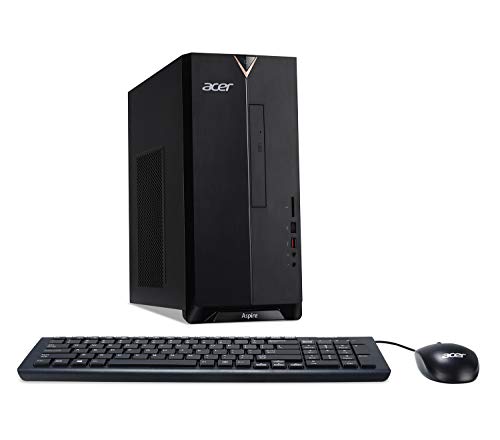
Acer Aspire TC-885-ACCFLi5O Desktop, 8th Gen Intel Core i5-8400, 8GB DDR4 + 16GB Optane Memory, 2TB HDD, 8X DVD, 802.11ac WiFi, Windows 10 Home

Acer Aspire TC-885-ACCFLi5O Desktop, 8th Gen Intel Core i5-8400, 8GB DDR4 + 16GB Optane Memory, 2TB HDD, 8X DVD, 802.11ac WiFi, Windows 10 Home

This is pretty much an all-in-one, already assembled desktop without a monitor. It comes with a keyboard, mouse, and the station itself.

Firstly, this is made for general purpose usage and is not to be taken as anything close to a gaming PC. However, you can add a graphics card to this if you choose to later. The power supply might have to be changed out, however, due to certain power plug-ins.

Specs:
CPU: Intel i5-8400 6-core CPU (Hexacore) no hyper threading, so a flat 6 solid cores at all times. *In general this is a very nice CPU that is about 30% less in performance than a stock 8700k, to give you a comparison. Great CPU for gaming.
Graphics: Intel UHD 630. This GPU is really for light photo editing, and 4k/UHD video streaming rendering. It's really made for being able to watch high quality video, but not to game with it. **To give you an idea of its gaming performance: It should play games from about 2012 and behind fairly well, but anything after it can struggle on.
HD: 2 TB SATA (non SSD)
RAM: 16GB (2 x 8GB) DDR4, only 2 slots. Can go up to 32GB on the board, though the CPU can support 128GB.
Ports:
4 x USB 2.0
2 x USB 3.0
1 x USB sleep/charge port
2 x HDMI out
1 x VGA
1 x Ethernet
1 x SD Card
1 x USB 3.1 / USB - C

Performance: Quite good overall. I would recommend doing a clean install of Windows 10 to get all the pre-installed software off, however it's not *too* bad. Runs very cool, and there is quite a good vent performance going on here. Large vents to the side, and two out of the back. Very fast (as fast as a platter HD can be, anyways) with a nice CPU and fast RAM.

This desktop, overall, is quite nice as a computer that you don't have to think about much. The CPU will last you several, several years and the GPU should suit you well enough if all you do is internet browsing/stream movies. If you game, at all, you probably want to look at another desktop or look to install a dedicated GPU. For a non-gamer, this desktop is very good.

The one addition I would recommend is to install a SSD drive as your main operation system boot drive. This would turn the desktop into an extremely fast performing PC that would last for several years.

A nice bundle package that sports a beefy CPU, plenty of ports, cool running, and the ability to change/upgrade later should you choose to.

My home system that is used for office overflow work had a motherboard failure that was too costly to repair. I purchased the Acer Aspire TC-885-ACCFLi5O Desktop, rather than assemble another from components. It took five minutes to plug the unit in, have the simple Windows set up completed and connected to the Internet with the system's built in Wi-Fi.

Compared to the older high performance tower system it replaced the Acer is quieter, much more compact, and significantly faster for my purposes. I use it to maintain a remote server, for Internet publishing and for graphic design and photo editing. Disk storage is huge and the 16GB Intel Optane Memory makes disk access very fast. The system has 8GB of RAM and could be bumped up to 32GB, but I am finding that not necessary.

The integrated Wi-Fi is easy to set up and much better than the older system. The Acer keeps pace with the 100mbps DL / 12 UL Spectrum connection through a Linksys Max-Stream AC2200 MU-MIMO Tri-Band WiFi Router and
NETGEAR Cable Modem (32x8) DOCSIS 3.0.

The keyboard and mouse are wired and the keyboard is a compact layout with relatively heavy key resistance. Both are nicely done and work without a problem. The graphic display is excellent and multiple monitor use is supported. I use a single with a high speed HDMI connection, leaving one more HDMI and a VGA connection.

The front panel layout is useful with audio in and out jacks, 3.0 and 3.1 USB ports and a card reader. The DVD drive is handy for older software and useful if there is a drive failure in the future. There are 6 more USB ports at the back panel and another set of audio ports and a wired LAN connection.

The system is supplied with Windows 10 Home, but there is no useful additional feature for me in Windows 10 Pro. I am not a fan of Windows 10 and the rent a software approach to applications, but that is the state of systems and not Acer's fault.

Support is +/-. The system comes with the Acer Care Center application for performing simple administrative clean up tasks and to get tech support. The application hung up on my system. Acer online chat suggested I download and reinstall, but a check with the Acer Care Center compatibility checking tool showed it to be not compatible with this system. Advice they gave regarding memory upgrades was complete and accurate.

Addition 4/27/2019 - While the specs show a free SATA connection, the manufacturer might clarify that there is only a physical mounting space for a 2.5" drive, not a 3.5. Additionally, there is no obvious power source for the device as the second plug on the power supply cable is too short to reach the mounting area. A popular and highly rated external USB 3.0 drive box was not recognized in any of the USB ports. So I am going to leave this alone and use it as it works flawlessly with all application software, the system is fast with office and photo editing software.

I remain happy with the purchase. Great price and excellent performance.

Super fast, smooth, extremely quiet!
My old HP Pavilion after 11 years was getting a bit annoying. After I cleaned the fan from the Nvidia graphic card, the pc got back working fine. But I decided for an update, and this is a great pc and not crazy expensive. It’s worth.

Easy setup. FAST to boot. Everything works out of the box. I am impressed with the speed of yhis system. NOT for gaming. A basic home computer with a lot of extra pizzazz. The Optane memory really revs up this little box.

I had an HP all in one computer that died on me crashed at least 5 times. My HP was sent back to the factory twice I downloaded discs to restore it once and was on the phone with tech support for help with it several times. I purchased this Acer PC and had never bought this brand previously but read about it online. I looked up the information and decided this was the PC I needed for small business and personal functions. I have used it for a couple of weeks now and it is performing great. So far I am loving this PC.


Get it Now

Feature Product

  • 8th Generation Intel Core i5-8400 Processor (Up to 4.0GHz)
  • 8GB DDR4 2666MHz RAM Memory & 16GB Intel Optane Memory
  • 2TB 7200Rpm SATA hard drive & 8x DVD-Writer Double-Layer Drive (DVD-RW)
  • 802.11AC Wi-Fi, Gigabit Ethernet LAN & Bluetooth 5.0
  • 1 - USB 3.1 Type C Gen 2 port (up to 10 Gaps), 1 - USB 3.1 Gen 2 port, 1 - USB 3.1 Gen 1 port, 4 - USB 2.0 Ports & 2 - HDMI ports & 1 - VGA Port

Description

Acer Aspire TC-885-ACCFLi5O desktop PC comes with these specs: 8th Generation Intel Core i5-8400 processor 2.8GHz with Turbo Boost 2.0 technology up to 4.0GHz, Windows 10 Home, 24GB total memory: 16GB Intel Octane Memory & 8GB DDR4 2666MHz RAM Memory, Intel UHD Graphics 630, 8x DVD-Writer Double-Layer Drive (DVD-RW), 2TB 7200Rpm SATA Hard Drive, High-Def Audio with 5.Channel surround sound support, 1 - USB 3.1 Type C Gen 2 port (up to 10 Gbps) (front), 1 - USB 3.1 Gen 2 port (Front), 2 - USB 3.1 Gen 1 ports (Rear), 4 - USB 2.0 ports (Rear), 2 - HDMI ports (Rear), 1 - VGA Port (rear), 802.11AC Wi-Fi, 10/100/1000 Gigabit Ethernet LAN (RJ-45 port), Bluetooth 5.0, 300W power supply, USB keyboard and optical mouse, 17.2 lbs. | 7.8 kg (system unit only), 1 Year Parts and Labor Limited Warranty with Toll Free Tech Support (DT.Bapaa.013)


I think this is an excellent PC for the money. It's lightning fast (as are pretty much all new computers), but I believe it has all the right hardware in place to be a very solid, dependable home computer for a long time. I've very pleased with this purchase.

In the last 20 years, I've used, built, cursed and drooled over many a PC. Currently, I alternate between using both Mac and PC systems (both laptops and desktops), but this is the first PC I've ever had with Optane Memory.

Optane Memory essentially is cache (short term) memory that assists system memory in processing tasks.

Ideally, Intel Optane Memory makes a traditional hard drive (like the 2TB 7500 rpm one in this PC) perform like an SSD drive. It works to quickly access metadata, that resides between system memory (RAM) and the main storage (hard drive).

The PC configuration that I have has 16GB of Optane Memory and 8 GB of traditional RAM. It's quicker in terms of read, but write speeds for the hard drive are minimally impacted by this configuration.

To truly maximize this system's speed, I'm hoping to boost the system by adding an SSD using a PCIe expansion port that supports M.2 for SSDs. I will then clone the Windows 10 Home operating system to the new drive and make it the boot drive, using the 2TB drive as storage. (NOTE: I will be getting that drive in the next week and will update this review after making that update.)

When I review a PC I think about who might like using it. I think this PC is a good fit for a user who does basic tasks: email, web browsing, minor photo editing, listening to music and watching movies.

It's a budget-priced desktop with great storage and room to grow. It has ample ports and can connect via HDMI to any size monitor or HDTV, making it a decent choice for a home media PC with apps for Netflix, Hulu, and Xbox.

But it's not for a user who wants separate audio and graphics cards, although you could add your own via an expansion card.

It's also not (as other reviewers have said) a gaming computer. If you consider the installed apps of Solitaire and Candy Crush "gaming" then I'm wrong. But if you're looking for a computer that can handle high frame rate games this is not for you. (NOTE: The refresh rates are 59fps and 60fps for this PC's video.)

Audio is average with onboard integrated audio but can be improved if you use a Bluetooth speaker and stream music from a device like a smartphone.

What I liked about this PC:

1. There is room to upgrade it just a bit.

2. Intel Coffee Lake Processor seems capable and zippy.

3. Entry level online gaming is OK with this PC.

4. Easy access to the interior of the case for upgrades - two screws and you slide off the side panel to get to work.

5. A good number of ports both front and back, with SD card reader, (2) USB 3.1, (4) USB 2.0, (2) HDMI, (1) VGA, USB- Type C, and microphone and headphone jacks.

6. DVD-RW drive is easily accessible at the front of the PC.

7. Small footprint makes it easy to stash this PC on a shelf or under the desk. 15" H x 7" W x 14" D

8. Runs so quietly you forget it's on.

9. The latest in Wifi and Bluetooth connectivity are on this PC.

10. This PC has both wireless and wired internet connectivity options.

11. Maximum RAM (Random Access Memory) can be upgraded to 32GB via (2) DIMM slots. **This is in addition to the existing Optane Memory of 16GB on the system I received.

12. It is a zippy computer when you're multitasking. I can watch a YouTube video, draw using 3D Paint and have several tabs open in a browser and all of it moves quickly without bogging down.

-----------------------------------

What I wish was better about this PC:

1. Very average looking case.

2. UHD Graphics 630 has a very low frame rate and I found it was glitchy - making YouTube videos freeze and the monitor go black. Happened twice during my 4 hours initial testing of the PC. **I suggest considering adding a video card to this PC.

3. Integrated sound and graphics are a cheap way to go, and while functional they offer no great sound or visuals - just average performance at best.

4. Norton Antivirus software installed, but only good for 30 days. C'mon... 1 year should be standard! But you can use Microsoft's Windows Defender suite which is part of Windows 10 and FREE. Just uninstall Norton when your trial is up and switch to Defender in Settings.

5. Some bloatware apps installed. You can uninstall them though.

6. Super cheap feel to the wired keyboard and mouse. Loud, clunky and not well made, mine is destined to be in the Goodwill bin very soon. Thankfully wireless keyboard and mouse combos of better quality are inexpensive upgrades.

------------------------------------

Upon unboxing you should sign in with your Microsoft account if you have one. Your browser bookmarks and some other things will be updated on your new PC if you do so.

You should also do a search for Updates and then let the system do a Windows 10 update.

The updates will take some time and require a couple of restarts to get the job done. I have a 100 Gbps internet connection via Wifi and it took about 1 hour to complete all the updates and restarts to my system.

-----------------------------

This PC is not bad, nor is it slow as some have claimed, but it is not going to blow your doors off via its speed with the 7200rpm HDD even with Optane Memory.

It's probably best suited for those who don't ask too much from their PC experience, but want a daily driver for general tasks.

My expectations were that this PC would be a good basic, budget PC and for the most part, those expectations were met.

My greatest concern about the overall mechanical integrity of this PC is how the integrated graphics were glitchy out of the box. I wonder if that will continue? Perhaps adding a video card would clear it up?

Time will tell.

----------------------------
-------------------------------

NOTE: 3/22/19 - Regarding the NVMe M.2 slot available to an SSD.

I tried to install a Samsung 970 EVO SSD NVMe into the M.2 slot on the motherboard of this PC. It was a royal pain to get to the port as it's located under the cage that holds the hard drive and DVD drive. A lot of tearing apart the case had to happen just to access the connection.

Since there's only one NVMe M.2 slot on the board for SSDs, I had to remove the Optane Memory module to swap it with the Samsung SSD.

The Samsung was recognized by the BIOS, but never initialized correctly. Windows 10 refused to boot as before despite making the changes that should have had it going.

When I swapped out the Samsung SSD and replaced the Optane memory back into its place, all was back to as out of the box working order.

I did change the Advanced - Onboard SATA Mode from RST with Optane (disabling it) when I put the Samsung SSD in. I reversed that process when I replaced the Optane memory.

So with regards to this PC having a M.2 slot that can accept a NVMe M.2 I'd say ... not really.

You do have (2) DIMMs for RAM with a capacity for up to 32GB though, so if you can get the BIOS configuration and SSD drive that plays nice with this system, you could theoretically remove the Optane Memory and add an NVMe SSD to the M.2 slot currently occupied by Optane Memory.

The bottom line: It's a trade-off even if you get a drive that is initialized and one I'm not sure you should make.

I have ordered an enclosure for the Samsung EVO 970 NVMe SSD and will be using it via a USB 3.1 port on the front of the case. I plan on cloning the hard drive to make it the boot drive, which may increase system speed that much more and would allow it to work with the Optane memory.

I'll keep you posted!

---------------

4/23/19: Never did get the Samsung EVO NVMe SSD to get recognized by the system. Maybe it's the drive.

I did add a 2GB MSI graphics card to this system and it made an appreciable difference. It was cheap at about fifty bucks and easy to put into the case in about 5 minutes. A simple upgrade that anyone can do.

Overall, a good basic system that is nicely boosted by Optane memory. TPM security (for encryption) also makes this system a good choice for business.

------------------------------

Great product for the price. A lot faster than my old computer.

Very nice desktop computer. Does everything I need it to do. Fast. Very satisfied.

I upgrade these with SSD drives and more ram. They're fantastic.

Get it Now
Read More
November 27, 2019 | Posted in by Daiki | 1 comment

TP-Link AC1750 Smart WiFi Router - Dual Band Gigabit Wireless Internet Routers for Home, Works with Alexa, Parental Control&QoS(Archer A7) (Renewed)

TP-Link AC1750 Smart WiFi Router - Dual Band Gigabit Wireless Internet Routers for Home, Works with Alexa, Parental Control&QoS(Archer A7) (Renewed)

Setup was a snap. You can either use the app or laptop and configure for more advanced settings. Now we get the full bandwidth of what we are paying for. Coverage is at peak levels throughout our 2 story house.

Initial setup was easy and quick. I had some issues with the wireless dropping at random times, and that was due to conflicts between the device and my cable modem. I did some reconfig and got it worked out. Pay attention to your config and keep good notes when troubleshooting.

A simple browser prompt and that's it.
Works like and charm and has been for the past 3 months!

The instructions give 2 methods to connect this router to the internet; via the TP-Link Tether App or via a web browser by going to their website.
A third, personally easier way is on your tablet - enable 'cookies' in settings; power up and connect the router to your cable modem, look for the router in 'wi-fi networks' on your tablet, enter the PIN (included in the instructions for verification/setting up the wi-fi), create your password for internet access and BOOM! instant connection. The PIN entered is your password to connect any other tablets to your wi-fi network on this router.
It should take all of two minutes maximum, faster than the other options given.
After 5 days of use this router clearly shows that it deserves all the 5 star reviews. Superb design, superlative performance!

I elected to skip the online login and use the old fashioned username/password, which I am more comfortable with. The setup menu isn't bad, probably more logical and streamlined than most. No complaints so far.


Get it Now

Feature Product

  • Wireless internet router works with Alexa, compatible with all Wi-Fi devices, 802.11ac and older
  • Dual band router upgrades to 1750 Mbps high speed internet(450Mbps for 2.4GHz + 1300Mbps for 5GHz), reducing buffering and ideal for 4K streaming comparable to the router Netgear R6700
  • 3 external antennas for long range wifi
  • Gigabit router with 4 gigabit LAN ports, fast access to multiple connected wired devices, ideal as a gaming router

Description


Nice unit, flexible as a router or distance extender. Can be a little flaky after firmware updates

This thing is so strong I can pick up a signal in my barn which 100 feet away.

Hard to find all tech info online. Did not come up as sown in diagrams. Good wifi extender for the sale price.

Well worth the money. Works great

Much better range versus old router and easy to set up.

Get it Now
Read More
November 27, 2019 | Posted in by Daiki | No comments

Apple iPad with Retina Display MD513LL/A (16GB, Wi-Fi, White) 4th Generation (Renewed)

Apple iPad with Retina Display MD513LL/A (16GB, Wi-Fi, White) 4th Generation (Renewed)

I'm not really a fan of Apple products - I prefer PCs and Androids - but my personal laptop died a slow, painful death and I don't have enough need to justify buying a new one right now. I have a work laptop and a great cellphone, plus a work iPhone. I really just needed something to watch Netflix on from bed (I don't have a TV in my room), do some blogging, and some basic internet browsing/social media that gets annoying on a tiny phone screen. I also had signed up for a virtual race using a treadmill that required me to have a tablet, so I figured it was the perfect time to finally bite the bullet. This arrived within 48 hours and I was using it to download apps within about 48 hours and 3 minutes. Mine looks brand new - no scuffs or scratches whatsoever. It did update once but is not included in the new iOS 11 update, so it's as updated as it will ever be now, which is fine for what I am using it for. I does lag every so often but that’s usually only when I’m switching between multiple apps. The battery life is impressive and I can watch hours and hours of Netflix before it needs to be charged. I ordered a cheap keyboard for it so I can use it like a laptop for blogging and writing emails, and honestly don’t see myself buying a replacement PC laptop anytime soon.

Arrived quickly and in perfect condition. It charges quickly and holds a charge well in use. It is perfect for my purposes. The price is fantastic. You should be aware of the 2 reasons that the price is lower than other ipad 4's : 1: It cannot be used as a phone. Even though it comes with FaceTime loaded it will not run because it doesn't have cellular capability. It is wifi only. You can steam movies, surf the net, use social media, edit photos, play games, all the things I wanted it for. 2: It has only 16 GB. Depending on the games and apps you use, you will need to watch storage space. I love it as it is perfect for my uses.

It was a great price. The seller sent a nice info card with contact number that I almost used. For some reason the IPad didn’t want to charge the first day. It took 12 hours to charge from 16% to 50%. It would charge for ten minutes then read as not charging. I tried different cords and outlets, After it charged to 50% that first day everything has been great, I charged it to 100% this morning and the battery lasted all day. It recharged quickly after I updated it.

Bought for my wife, looks brand new, all the bells and whistles. We use on camping trips and for all around info. She also has a couple games she likes to play.

I bought this to replace my old iPad 2. It has the same form factor so all my accessories were easy to move over to it. It came in excellent like-new condition, with a new black charger and cable. (The only evidence it had a previous owner is the un-engraved text that was on the back!) The Retina display is a welcome upgrade from the iPad2, and it's also obviously much faster.


Get it Now

Feature Product

  • This Certified Refurbished product is tested and certified to look and work like new, with limited to no signs of wear. The refurbishing process includes functionality testing, inspection, and repackaging. The product ships with all relevant accessories, a minimum 90-day warranty, and may arrive in a generic box. Only select sellers who maintain a high performance bar may offer Certified Refurbished products on Amazon.
  • Wi-Fi (802.11a/b/g/n);
  • Up to 10 Hours of Battery Life; 1.44 lbs
  • 5 MP iSight Camera; 1080p HD Video Recording
  • This Certified Refurbished product is factory refurbished, shows limited or no wear, and includes all original accessories plus a 90 day warranty

Description

Apple iPad 4 (4th Generation) features a stunning Retina display, iSight and FaceTime cameras, the all new A6X chip and ultrafast wireless. And with access to over 275,000 apps on the App Store, you can do more than ever.


Really nervous about buying refurbished but could not justify the price of a newer version. Been using iPad 2 for several years. Tried replacing with new androids but kept going back to old iPad2. After setting the generation 4 up, I was very surprised and pleased with the results. Good condition except charging cord was junk...visibly torn. Purchased new cord for $13.

Got this in the mail today, body is in great condition no dings at all but ome very small scratch on the back about 3mm in length, nothing worth returning. Bought this for my mom who is a senior to facetime with her grand kids and friends and she loves it! Easy to setup and facetime with. Ipad is in 9.7/10 cosmetically and everything appears to be working as if new. Screen in intact not separating anywhere. Cant beat the price either! iOS is 10.3.3 already installed works great no noticeable delay. Battery was charged to 75% facetimed everyone to test it out and it only dropped 3% for about 25mins facetiming and setting up process. Did not have previous owners information stored. When powered on the setup process was present. You can set up iCloud account from the ipad itself; process does not require a laptop. Just an email account you can create or use one.

What i do recommend: glass screen protector because finger print smudges on the screen. Also a case.

Bottom line: i have no regrets purchasing this! Its a small gamble buying refurbished but when it pays off; you save a ton! If anything goes wrong within a short time i will update this review!

The tablet seems to be working just fine. There is a permanent blue spot in the top right hand quadrant of the screen that was an issue, but given that it's refurbished, I am fine with it. I have had zero issues with it. I bought it for my father in law because he inadvertently locked himself out of the previous one. So he is veryyoung satisfied. I just need a good case for him now

I had read all the reviews before I purchased mine and was scared about purchasing one refurbished. So when I got mine and opened it by the way it is wrapped up great and nothing in there but my purchase. I charge it up which took a little while and it works great I download protection and some games and have not any trouble with the iPad. There is some small cosmetic wear on it and that is understandable, but they are slightly noticeable. Great purchase and great price. Thank you what ever company and Amazon.

Can't tell this is refurbished at all. It'll just have to live up to the longevity test. My husband received this for his 50th birthday present and he was thrilled with it. The kids are using it more than him, I'm afraid! I might need to look into iPad minis for Christmas - refurbished like this is a.o.k. With Santa Claus!

Get it Now
Read More
November 27, 2019 | Posted in by Daiki | No comments

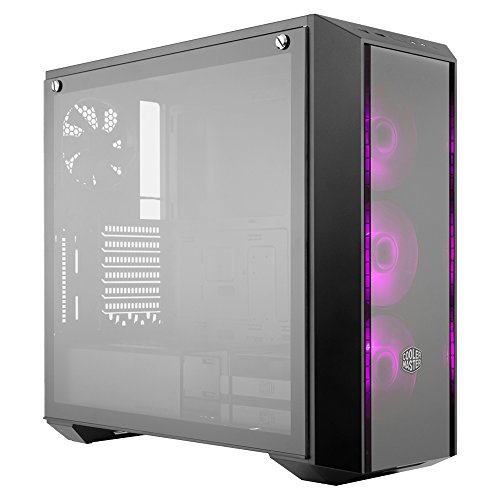
MasterBox Pro 5 RGB ATX Mid-Tower with 3 x 120mm RGB Fans, Tempered Glass Side Panel, DarkMirror Front Panel and Internal Configuration by Cooler Master

MasterBox Pro 5 RGB ATX Mid-Tower with 3 x 120mm RGB Fans, Tempered Glass Side Panel, DarkMirror Front Panel and Internal Configuration by Cooler Master

This is an awesome case. arrived packaged great. no damage at all. I wish there had been a protective film on the glass. But thats only because I wanted to get the satisfaction of taking it off. Other than that. tons of room to put whatever you want or need in it. Great quality. very solid build.

A Few things to note:
The front 3 Fans require a Molex cable from your power supply to run. (had to order one after the fact)
The RGB fans do not come with a controller so you need to get one. Cooler master makes one that works great.
This particular one has deep tinted glass so if the goal was to look straight through at your beautiful build you might want to get the clear glass.

Overall its a great case. no complaints the air flow is amazing.

Very good case!

-Side Panel is dimmed so you can't really see it at night unless you have LEDs.
-Side panel is a lil bit easy to scratch.
-No space issues in the main part of the case.
-Airflow is good! Comes with dust filters.
-Comes with PSU dust filter.
-Looks very sleek and modern.
-Front panel is transparent, but dimmed, you can put LED fans and it will see through and look amazing!
-Feet is rubbered and has .75 inch gap from floor to bottom of the case.
-Comes with 1 rear fan, but it doesn't blow good. If your hand is 1 inch away from the fan, you wouldn't feel it.

Cons:
-Space issues on back panel. You can fit .75-1inch width of cables. 24 Pin and CPU cable can fit, but you fill need 2 people to force panel back on.
-Came with 3 different color trims. I chose White. Comes in Red, White, Back.

Sweet case and the price is nice.
This case has a ton of room it feels like a full ATX.
I put a matx AM4 board in this and there is room for another board...lol no really.
This case for 50$ is like stealing.
If you need a case and your on a budget.. trying to put more money in your components but want it to look awesome... this is your case...

I really want to give this case a 5.

Price is really good.

Airflow is excellent, I have an overclocked cpu and it doesn't run hot.

Case is roomy, the 212 EVO heat sink fits nicely.

Build was somewhat easy. Not quite sure how to hook up the third fan. The adapter/splitter for fan power which was provided in the box has the older style plug, so it doesn't fit a newer power supply. Not sure why they did this....am I missing something?

The RGB fan feature is nice, and fun to look at, it's nice to change to red at night, easier on the eyes.

The glass plate is not flush with the case (sticks out a few mm) which I thought was a little odd at first but doesn't really bother me, not really noticeable, still looks clean.

The only issue I have is I don't LOVE the styling of the front plate. It's not ugly by any means, it's just not the sleekest look you can get. I would have preferred to go with the glass panel front case (on the MasterBox Pro 5) but it looks like airflow isn't as good on that one, so here we are.

Def would recommend.

The case looks fantastic. That being said...youll need to have a rgb header on youre mobo or buy a controller for the rgb effects. Without the header or controller you will be left with red or blue (wasnt an issue for me die to already have a rgb header). The side pannel is lovely i enjoy the tinted look. The front cover is a tinted plastic looks very nice as well. There is VERY limited air flow. Tiny space on tmthe top of the front panel and bottom. There is no place more fans or closed loop cpu cooler on the top. O ended up modding my case for more front air flow ( i drilled holes on the front panel) it helped dramatically. I did a very beat job so it dose not look bad what so ever. I also modded the top of the case so i could fit a closed loop water cooler. Without nodding the case ill list pros and cons.

Pros:
Acrillic side pannel is lovely and rare on a case for this cost.
3 rgb fans ( not the prettiest fans but nice non the less)
Large case can fit any and all components(minus a cpu liquid cooler)
You can change small hits of the from panel (they include info for 3d printing youre own)
Lots of room for cable managment
3.0 usb header in the front

Cons:
Airflow air flow airflow. 3 front case fans but very minimum open space to intake air.
No room for fans or aio on the top.
A very nitpicky one the front is a finger print magnet!

Modding the case wasnt to bad i just used tape and a drill for more airflow the front and a knife/ fine grit sand paper to Smith evrythong out.
For the top I used a dremmel to cut a hole and bought a 3rd party dust filter and aio top cover. And a drill for screw holes.


Get it Now

Feature Product

  • Flexible mounting:  easily mount and rearrange SSDs across the motherboard tray and on the back with the SSD bracket
  • Rib fans* - three 120mm RGB fans are pre installed behind the front panel to create an amazing lighting effect
  • 1 to 3 splitter cable for RGB LED fans* - the RGB connector splitter and 4 pin Male to Male adapters are included
  • Compact cooling: with the included bracket, the case supports up to three 120mm front fans, one 120mm rear fan, and up to 360mm front radiator for liquid cooling
  • 4mm thick edge to edge tempered glass Side panel: once you finished your build it's time to show off your creation in style through the 4mm thick edge to edge tempered glass Side panel

Description

The Master Box Pro 5 RGB's straightforward design comes with three 120mm RGB fans installed behind the dark mirror front panel and a 4mm thick edge to edge tempered glass side panel which give the case a unique outlook and various options to show off your build inside. The interior offers conveniently placed cut-outs, making component installation, interior expansion, and multiple interior layouts simple and easy. It can also support large, high-end components, several fans and DIY liquid cooling. Keep your system looking clean with numerous routing holes and a cover for your PSU.


So far I have been running my GTX 1080 and i3 8100 in this case and so far so good. The main concern here is that the airflow from the front is restricted by the acrylic front panel that takes in most of its air through a small intake vent towards the bottom of the front panel. But I can say that I still have been ok with thermals while overclocking the GTX 1080 as I do not need to go far with overclocking such a beast of a graphics card anyway. Although I do want to start a liquid cooling loop I do not feel that this case is up for that task without some serious venting and fan mods done to this case. Matter of fact this case might very well do great in the hands of a modder as it does have a decent amount of room for someone with the right tools to make a few different custom configurations to the way it looks and performs maybe even a good case for someone who just wants to get into modding for the first time. The 3 RGB Cooler Master 120mm fans look very nice when synced up with a motherboard but again that's the most they have going for them for the fact that they unfortunately are restricted of a lot of air do to the acrylic panel. Fortunately the acrylic panel can be taken off very easily just by lifting it up it can also be replace by a Cooler Master mesh front panel I have not done this but have seen it done with a friends setup. I do recommend this case from Cooler Master for a few good reasons
1. The cost for this case being that it is a mid tower case with a ton of headroom for a beefy graphics card and CPU cooler and room for a couple hard drives is amazing in this price range you wont find a much better deal for around $40 to $60.
2. The aesthetics are amazing and that is one of the best things about this case along with all the room you may need for a large graphics card and nice cable management space to tuck away unwanted ugly cables when you are not using them to make for a nice clean build.
The cons of this case only comes down to one thing and that is airflow. With only room for 3X 120mm fans in the front or 2X 140mm fans in the front with only 1 120mm fan in the rear with no top vents or fan capabilities and a restrictive acrylic front panel really makes this case feel like its going to overheat. Although I have done a few stress tests and i can say the temps are only just a bit higher than that of a well vented case in this price range so no worries of overheating but I still wouldn't run 3 1080s SLI overclocked. Now if you were to mod a couple fan supports to the top of this case then this case would greatly benefit from it. Anyway that's just my take on this case I do enjoy it and i do recommend it if its what you can afford for your budget.

I've included screens of my build. Hopefully you can see on the bottom just how "clean" you can make this. I have no external HDDs or SSDs and am using two M.2 drives to make for an extremely quiet build. If you don't read my whole review, be sure to go to the end where I mention something that messed with me for about 2-3 hours that I finally figured out. (A mysterious SATA3 connector.)

Going to list off the "pros" of this case:

1. The unobtrusive "cutouts". Cable management is a thing! And they do a great job here on this case. Along the bottom where your MOBO meets the case, there are several small holes that you can hardly see until you buy the thing. If you look at my attached pictures, you can get the idea how I ran the cables up through the bottom and did a quick loop back to plug in items like the HD Audio, USB 2 and in my case, the ARBG cable, etc.

2. Great cutouts on the sides. I expect to get middle cutouts -but these have some nice rubber padding that keeps a minimum of light from showing through. Additionally, they had the perfect set up for hiding the CPU power at the top of the case/mobo as well. (Look closely at the top left to see what I mean...)

3. Airflow. It's hard to get a really good feel for just how much flow is available, but the way they situated the glass panel in the front, and cutouts under the fans as well as on the sides means a TON of air flows through the case. As an added effect, when you look directly at the side of the case, the vents almost GLOW with the color of the fans. I built cases for 20 years and basically poo-poo'd the idea of RGB lighting (or even just plain red or green lights on fans) for years. But about a year ago, I finally got on board, and this case REALLY makes RGB lighting come alive.

4. The fans. Lots of complaints from current buyers for some reason. Again, I have no HDDs, though I do have a radiator. I also have the Asus ROG Strix x470 mobo - and it comes with an automatic fan adjuster (that works with overclocking). I'm running my CPU at a consistent 4000Ghz (about an 8 or 10% overclock) and it runs BELOW room temperature. That's with a coolermaster liquid cooler and this case fans on it. Yes, they stay on and only have one speed, but all things considered, it's super quiet, looks great, and does the job beautifully.

5. The glass panels and the metal panel cover on the back. The glass is legit. It's HEAVY. I've also dropped it, and it's durable. I love the grommets they use - it's the first time I've had glass panels that the screws stayed right inside the panel, and it's got elegant hooks on the bottom that make re-attaching the cover the .. seriously, bar none, and I've been a data center sys admin for 20+ years, and have probably put the covers on literally a thousand servers and desktops - the easiest cover to open, remove and re-attach of ANY PC/Mac/Tablet/Phone, etc etc - that I've ever touched.

As for the metal cover - I love how easy it was to attach. I love that when I put the glass panel back on, since the metal is already lining all your cables up, it (again) makes the glass uber easy to put back on the case. (See my attached picture). All those cables (which include PCI-e and power for the MOBO, the fan cables for RBG and power, the case connectors, etc) - all tucked away, nice and neat under that metal panel.

6. Bells and whistles. It's got an extra inch or two of width. Makes fitting in radiators on the top of the case actually a thing. (I had to shop around just to find a case that would do that!) If you read the instructions - and the fact it has its own RGB controller (though it's only a button on the top of the case, so it's rather simplified controls...) that's frickin' cool. USB 2 and 3 (two of each) on the top of the case. I love that the power button has RGB and you can control it. Never, EVER seen a case that let me change the power button color. (Or rotate it along with the rest of the fans, etc). Comes with FOUR fans (One is not RGB, though). Oh, and it's ARGB, if you have a controller (or MOBO) that can take advantage of it. That makes this case REALLY economical.

Cons:

As someone else mentioned, the area for your power supply is pretty tight. Be sure to test the size of everything first. I'm using a modular 750W PSU, and it fits fine, but I had to plug all my cables that I wanted in first - it just didn't fit/wasn't enough room to try to plug them in after it was tucked in. I originally put my PSU in first, before attaching the modular cables and had to take it back out...

Please be sure to look at the advertising material about the case. The pictures that show where your radiator goes are accurate. I used a 240MM radiator on the top and it fits beautifully. (See attached pictures.)

It doesn't have a ton of extra screws. That part is true. The instructions are not great. The fact that it ONLY has HDD lights and power switch may throw you for a loop. (I was thankful of this, quite honestly.) There is a connector that came with this thing that REALLY messed with me. It's a SATA3 connector. Just plug it into your power supply. I spent hours looking for what it was supposed to plug into.

Other notes (and sorry this got so long! But, I wanted to make sure I put in all the information I could, because this case delivers a TON of value...)

Also, the controller cable for the RGB fans included ARE compatible with Asus, Asrock, Gigabyte and MSI. Said controller allows you to use all those manufacturer's motherboards. (One review listed 3 of the 4 above, another person said a motherboard controller couldn't be used at all. Yet, in the bottom row of pictures in Cooler Master's Amazon description (above) in the middle picture you can see the cable right there that allows you to use 4 manufacturer's motherboards.) If you don't have that cable and need it, be sure to return the item and get a version that has the cable. It works great.

If you don't have one of the above manufacturers, the button next to the power button works as your RGB controller. (Note: it's not a Reset button. This case only doesn't come with a reset cable or button. Only Power switch and HDD lights.

TL;DR: Given that it comes with 4 fans, 3 of them are ARGB, and it's a slightly larger mid-tower that can accommodate a 2 fan radiator (hard to find for less than $150!!) - this is my new favorite case. No, the fans aren't the equivalent of an $80 set, but they're darn close. They are quiet, completely configurable and with all the other bits of hidden engineering (air flow, cut outs, cable management, compatibility with mobo manufacturers, etc) - you get more bang for your buck than nearly any other case.

If you check out various review sites regarding this case, you'll see that they agree with me. ;) Nice job, Coolermaster!

I spent the last couple of days testing different cases with different cooling solutions, and various stages of overclocking.
One of the things I wanted to see was whether less expensive cases had poorer air flow causing overheating. What is most important in a case - aesthetics, performance (how cool the case is inside), and price. Obviously there are other factors like how well do things fit? is it the correct case? etc... But I will just say off the bat that this case has ample room even when running a corsair liquid cooler which with both fans, radiator, pipes etc that alone could take up a lot of space in your rig. but I will list what I have in here now:
Ryzen 7 2700 - Asus Prime B350 Plus - 32 GB DDR4 - 1TB NVMe - 2TB Firecuda SSHD - Corsiar Hydro Series H80i v2 liquid cooler (also tested Wraith spire cooler) - EVGA Gefore GTX 1070 SC - EVGA 750w B1 PSU
Long story short this case has a good airflow, keeps the system very cool when compared to my old case (my old case is about 60 dollars with many many fans and exhausts)
I wanted to know if buying expensive cases matters in situations like this where you have standard items. Sure the parts are good, but it is not running multiple GPUs... its just a ryzen 7 2700 overclocked to 4Ghz and a gtx 1070. after testing with different cooling systems, I cannot see a reason to buy a more expensive case than this.
This case has tempered glass, and it looks really cool. I believe the back exhaust fan has LED but I removed it when installing my corsair cooler which has its own exhaust. The case does not look tacky, it actually looks really classy as far as gaming PCs go. It has a lot of room, even with all the stuff I have in there... even if I added another GTX 1070 it would still have enough room. The separate housing at the bottom that keeps the PSU away from the rest of the inside is great, and easier to work with than other systems I have built.
If you are looking for an elegant case, with some cool aesthetics, and tempered glass... get this case. It is really good and not just "for the price". It is actually a good case that would fit right in wit high end parts.
One suggestion for Cooler Master - On the front you have your logo which stands out a lot against the black case (grey logo) - it would look better if there was less contrast, and it blended in more with the color, or was even the same exact color as the case. It is very minor but I feel it clashes with the aesthetics of the case the way it is

Purchased for a New build, I have always used Coolermaster in the past, however, this might change.

Upon unboxing the case, I found that the glass didn't have the plastic on it, nor did the front side bezel, however, the corners of the bezel had anti scratch plastic, and to my dismay the front side bezel has a nice gash in it about 2 inches long.

The whole reason Plastic is put on it is to prevent the manufacturer from scratching its product before leaving the factory. Failure is not an option Cooler Master especially when so many other great companies are out there.

If I can count this scratch out either through RMA or expedited replacement, I would give it 5 stars, the case is beautiful and can't wait to finish the build.

This is a really nice bang for buck case. It's a nice size, not too heavy, and the metal, glass, and plastic all feel very premium. Although the tool less mounts for SSDs and HDDs are a little hard to use (The Corsair 750D is definitely better when it comes to their HDD cages, as they are both bigger and easier to install HDDs in), they're very minimalistic and low profile. It comes with four fans, three of which at the front have RGB. It's a little hard to mount a radiator in this case (and if you choose to mount it in the front, you might have to ditch your fans), but it's acceptable. It can be flashy if you want it, and it can also be tucked in the corner without it being distracting. As a minimalist, I'm a big fan of this case and I recommend it over my previous case, the 750D, which is great for performance, but has lower quality components, a much larger size, and lacks features like a PSU shroud.

Get it Now
Read More
November 27, 2019 | Posted in by Daiki | No comments

2018 Newest Dell Premium Business Flagship Desktop PC with Keyboard&Mouse Intel Core i5-7400 Processor 12GB DDR4 RAM 1TB 7200RPM HDD Intel 630 Graphics DVD-RW HDMI VGA Bluetooth Windows 10 Pro-Black

2018 Newest Dell Premium Business Flagship Desktop PC with Keyboard&Mouse Intel Core i5-7400 Processor 12GB DDR4 RAM 1TB 7200RPM HDD Intel 630 Graphics DVD-RW HDMI VGA Bluetooth Windows 10 Pro-Black

Was hoping it would be a little more zippy. I put a 250 GB SSD using EaseUS and made the harddrive it came with as a D drive. That made it perk right up.

No problems with set up or running computer. This is my second dell and both have been workhorses, Very Pleased.

Didn't release that the internal hard drive slots required proprietary cradles.

Dell’s flagship desktop computer runs circles around my old HP. Came complete with new keyboard and mouse and was easy to set up. I’m not a gamer and I haven’t needed to call tech support but Dell has a strong presence and a lot of on-line resources. Chances are you won’t ever need to call for support.

Not sure I can blame the seller, for the 1 con I have -- I was expecting Windows 10 PRO
I went back to review the detail and version is not clearly stated. I will take half the blame and I believe the seller could have done a better job of spelling this out


Get it Now

Feature Product

  • Powerful 7th Generation Intel Core i5-7400 processor (6MB Cache, up to 3.50 GHz). Enjoy the new standard for PC performance with 7th Gen Intel Core processors. Blazingly fast and feature-packed with built-in security, they are ready to take your productivity, creativity, and entertainment to the next level. What's more, by enabling the exciting Windows 10 Pro features, 7th Gen Intel Core processors empower you to unleash your imagination and explore the possibilities.
  • 12GB DDR4 RAM Memory 1 TB HDD Hard Drive. Everything You Need, Nothing You Don't For storage and memory, you'll have plenty of each, enabling you to multitask with ease.
  • Intel HD Graphics 630. Built for Serious Home Entertainment Thanks to its 5.1 surround sound and a slim optical disk drive that can handle DVD R/W disks, delivers a true home entertainment experience.
  • Connectivity: 802.11bgn + Bluetooth 4.0, 2.4 GHz, 1x1 Optical Drive: Tray load DVD Drive (Reads and Writes to DVD/CD) Ports: 1 x HDMI, 2 x USB 3.0, 4 X USB 2.0[Back: (4) USB 2.0, Front: (2) USB 3.0]
  • Windows 10 Pro Operating System.Weight: Starting at 13.89lbs Dell MS116 Wired Mouse Black and Dell KB216 Wired Keyboard Black Included. MaxxAudio. Combining the best of Windows you already know, Windows 10 pro has many great improvements you'll love. Featuring fast start-ups, an expanded Start menu, and an all-new browser. Now, even across multiple devices, you can get more things done, both quickly and smoothly.

Description

Product Details

The Dell Inspiron 3668 offers extensive storage and exceptional power in an innovative design that saves you space, without sacrificing performance.

Memory: 12GB, 2400MHz, DDR4; up to 16GB (additional memory sold separately)

Hard Drive: 1TB 7200 rpm

Operating System: Windows 10 Professional 64-bit English

Graphics: Intel HD Graphics 630 with shared graphics memory

Connectivity: 802.11bgn + Bluetooth 4.0, 2.4 GHz, 1x1

Optical Drive: Tray load DVD Drive (Reads and Writes to DVD/CD)

Ports: 1 x HDMI, 2 x USB 3.0, 4 X USB 2.0[Back: (4) USB 2.0, Front: (2) USB 3.0]

Sound: Integrated 5.1 Channel with Wave MaxxAudio Pro

Avi Ports: Back: 3-stack audio jacks supporting 5.1 surround sound Front: Headset port

Dimensions (H x W x D): 13.90" x 6.06" x 11.93"

Weight: Starting at 13.89lbs

Dell MS116 Wired Mouse Black and Dell KB216 Wired Keyboard Black Included


i have had experience with many dell pcs and this is the best i have ever purchased.

As a home office CPU the unit is both compact and easy to handle. Set up and continuous use is very easy to use.

Great

So far this computer has performed great!

I liked everything

Get it Now
Read More

Monday, November 25, 2019

November 25, 2019 | Posted in by Daiki | No comments

iBUYPOWER Pro Gaming PC Computer Desktop Intel i9-9900K 8-Core 3.6 GHz, GeForce RTX 2070 8GB, 16GB DDR4 RAM, 1TB HDD, 240GB SSD, Z370, Liquid Cooling, Wifi Ready, Win 10 Home 64-bit (TRACE 9240 Black)
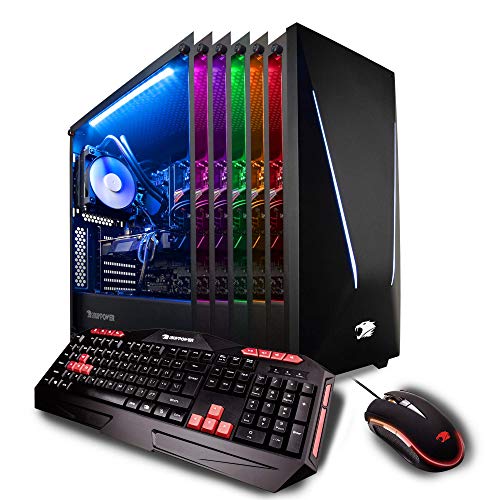
iBUYPOWER Pro Gaming PC Computer Desktop Intel i9-9900K 8-Core 3.6 GHz, GeForce RTX 2070 8GB, 16GB DDR4 RAM, 1TB HDD, 240GB SSD, Z370, Liquid Cooling, Wifi Ready, Win 10 Home 64-bit (TRACE 9240 Black)

Specs of Purchased Unit:
CPU- Intel i7 8700K
GPU- ASUS GTX 1070 Ti Cerberus
RAM- 16GB ADATA XPG (2 @ 8GB)
Motherboard- MSI Z370 A Pro
Water Cooling Unit- Corsair H60
SSD- Apacer 250GB
HDD- Western Digital 1TB
Power Supply- 500 watt non name brand (more on that below)
Fans- One NZXT and one "ARC" fan (that has red LED's) in a push/pull configuration on the radiator of the water cooling unit (both 120mm)
USB Ports- 6 USB 3.1 ports, 2 USB 2.0 ports
Before purchasing this computer I had always been interested in building a PC. As the price of graphics cards and memory have gone up in the last year because of Bitcoin mining, I thought I would never be able to have a nice gaming PC. Then I started looking into this PC and what a good value it was and I thought it would be a great jumping off point for my PC hobby. I wanted something that would chew through graphically demanding games on ultra settings without issue. I also wanted a computer that would run general tasks quickly for many years in the future. I have dabbled in PC gaming in the past but the majority of my gaming had been done on consoles. I have not played anything too graphically demanding on it yet, but I have run Heaven benchmark on it and got a ~2500 score on 1080p with ultra settings and 8x AA (if you are reading this and don't understand what that means don't worry. Just know that the PC did very well in benchmark testing). Running games at 4K resolution isn't impossible, but it is nowhere near as smooth as running at 1080p. This is not a slight against this computer however, because only the newest graphics cards (1080 Ti) can handle 4K gaming and even those cards don't hit 60fps averages from what I have researched (remember, I am pretty new to all of this). I am coming from an HP Pavilion dv7 laptop that is 6 years old, so there are a lot of quality of life upgrades that come with this PC as well. Please note that the individual parts that IBuyPower PC's come with can vary from unit to unit, but most things are comparable (from what I have read in other reviews). Now that I have had the computer for a little bit, I wanted to share some thoughts about it. I don't work for any PC companies, and I didn't get this for free to write this review (although it would be awesome to get free stuff just to review it, I can't believe people get to do that)

Pros:
Startup is very fast because windows 10 loads from the SSD. If your computer still boots up from a standard HDD you have no idea what you are missing.
Gaming is gorgeous and the computer is super quiet even when running stress tests and benchmark programs. (I have the PC hooked up to a new 55" TCL tv that has very little input lag).
Upgrading- As a person just starting to get into the tinkering aspect of PC's, this computer does not disappoint. Let's start with the case itself. The case has the option to add 120mm fans to the top panel toward the rear of the case (above the rear panel vent that currently has the radiator and push/pull fans exhausting air out the back), on the bottom panel toward the front of the case, and the front panel of the case has 3 vents to add 120mm fans or (I think) 3 140mm fans. To add fans to the front of the case you have to pop off the front cover that has the red diagonal LED line. It pops on and off fairly easily (make sure you pull from the slot located at the bottom of the front cover and not from the vented opening on the sides of the front cover, and the red LED line is connected with a wire so hold on to the front cover when it comes off). The tempered glass side panels are easy to take off and put back on (thumb screws) and they are on both sides of the case, allowing easy access to the cables (it had great cable management for a pre-built) and the 1TB HDD. The case also has feet that keep the computer raised about an inch off of whatever surface it is on. The case dimensions are 18.5" tall (with the feet on), 8.25" wide, and 18.5" deep (the front cover protrudes out adding about 3/4 of an inch).
Next we have the motherboard. The MSI z370 A Pro is great for adding components and for overclocking (which is a whole new level of tinkering). The BIOS is easy to navigate and allows for a ton of control over the components in your PC. It has 4 slots for DDR4 RAM (up to 64GB) and mine came with 2 8GB ADATA XPG sticks. The motherboard does not allow for SLI because the 2nd 16x PCIe slot is only rated at 4x. For the inexperienced reading this review (which I was a few weeks ago), SLI is being able to add a second video card to your PC and get added graphical processing power for games and what not, and this motherboard can't do that. This shouldn't matter to most people, cause if you want to run two graphics cards in SLI you are probably not going to buy a pre-built computer but instead build your own. The motherboard specs can be found on MSI's website if you are curious to know more.
Lastly, the AIO (All in one) Corsair water cooler is nice as opposed to an air cooler. From what I have researched, AIO water coolers are very low maintenance compared to a custom water cooling setup. I am actually upgrading the AIO to a larger Corsair one in the next few days but there is nothing wrong with the one that came with the PC.
Overclocking- The GPU (graphics card), CPU (Intel processor), and RAM (ADATA memory) can all be overclocked but I haven't started that process yet. Just know that you can potentially increase the performance of the GPU, CPU, and RAM by about 15-20% by overclocking (but there are some drawbacks to the longevity of the parts).
RGB LED's- The LED lighting in the case is nice addition to the system that adds some wow factor at very little cost to IBuyPower (since LED strips are pretty cheap now). It isn't top of the line LED customization like you can get with companies like Corsair or NZXT but it gets the job done. The remote works decently, but often requires multiple presses of the button even when pointed directly at the small sensor located near the SSD. I also have found that my TV remote sometimes gets picked up by the LED sensor in the computer and it changes the color or display setting of the LED strip inadvertently. But it is easy to change it back and this is another thing I am currently in the process of upgrading with Corsair LED strips.

Cons:
Power Supply- I read online that pre-built PC's often come with a low quality power supply to help cut down on costs for the company putting it together. A lower quality power supply puts all of your precious and expensive PC components at risk if it were to have an issue. The one that came with my PC was 500 watts and the system worked fine with it. The research I did indicated that the power supply would be fine for the time being, but I should consider upgrading it sooner rather than later (especially if I wanted to add more components that required power). So I decided I didn't want to take the risk and I upgraded the power supply to a Corsair RM750x ($120 on Amazon). I promise I don't work for Corsair or anything like that, their products just look nice (packaging and the units themselves) and I have read that they have good customer service.

TL:DR
If you want a computer that just works fast and runs games at the highest settings you won't be disappointed. If you are new to the world of PC tinkering and upgrading, this is a great starting point. If you have an old computer that is starting to die on you and you want something that will last a long time, treat yourself to this behemoth. If you want to build your own PC, but the inflated prices on PC components have you waiting until Bitcoin mining becomes less popular or profitable, this PC is a reasonable value right now. If you can afford it, get the 1070 Ti version over the 1070 and the i7-8700K over the i7-7700K because the surrounding components will probably be a little nicer as well. (Also, sorry for all the parenthesis)

The components themselves are good, but as many others, I had problems logging in. I was presented with a login screen of a "defaultuser0" with an unknown password. For anyone that might encounter this problem, do the following:

1) Click in the bottom right corner on the shutdown options. Hold shift and click on restart.
2) You will be given three options. Choose the troubleshooting option and follow the instruction to enter in "Safe mode with Command Tool".
3) Wait very patiently (for me it was 15 minutes) for the computer to enter in safe mode (while claiming I should have waited "Just a moment...").
4) In the command line, type "net user administrator /active:yes".
5) Reboot the computer. You can simply type "shutdown /r".
6) Follow the instructions and you'll finally be able to access.

I work in the field of Computer Science and it still took me one hour to find the problem and to fix it. This is unacceptable, given that the sole reason to buy a pre-built machine is laziness in the first place. The four stars are for this reason, coupled with the fact that the included wifi is worthless (I planned to use it until I bought an ethernet cable, but it was so bad that I was pretty much forced to go out and buy one immediately).

The system performs exactly as intended. So glad I ignored the negative reviews! I'll address each of the issues noted by other reviewers one at a time:

1. BOOTING: The system booted into Windows 10 from the SSD. I takes a while to boot the first time you turn it on, so you will see the MSI Bios splash screen for up to 10 minutes while windows initializes, so be patient. After that, systems boots up in about 10 seconds or less from a complete shutdown. If for some reason computer does not boot, hold down delete key immediately after powering on to enter BIOS, then be sure that "Windows Boot Manager" is listed under Settings\Fixed Boot Order Priorities\Boot Option #1, and also under settings\UEFI Hard Disk Drive BBS Priorities. That said, I have not had any trouble booting this computer.
2. TEMPERATURE AND NOISE: Quieter than my imac, even when gaming. Temperatures well within normal at 99% GPU utilization over extended usage periods, without any disruptive noise.
3. GPU: Verified NVIDIA GTX 1070 TI. Mine is a slightly customized card by MSI, but is still the genuine NVIDIA product underneath the hood. Ignore reviews stating that the graphics card was switched out because it says ASUS or MSI on the label--it is still the NVIDIA card slightly customized to work with the computer/motherboard it is being sold with. The GTX 1070 TI runs very cool and quiet. GPU fan is generally OFF unless gaming -- that is normal for this card and speaks to the low power usage compared to an equivalent AMD card.
4. PORTS-- This computer has ALL necessary ports. The GTX 1070 TI occupies space for TWO slots at the back of the computer. You will see the DVI port by itself prominently protruding from the second slot position. That is probably why some reviewers think the GTX 1070 TI only has DVI. In the slot above you will find 3 displayports and 1 HDMI port, all connected to the GTX 1070 TI, and sometimes covered with black plastic covers such that they are not very visible. Additionally, the motherboard has a DVI, Displayport, and VGA port. Use these motherboard ports ONLY if you are using the ONBOARD graphics adaptor (ie, you have disabled or removed your GTX 1070 TI).
5. CABLES: Computer comes with an HDMI cable which carries sound and video to your monitor (monitor purchased separately, of course). There is also a sound cable to connect the computer to the monitor to activate the microphone jack on the monitor. Note: if you plug in the microphone jack, then you will NOT get sound from the monitor speakers. All power cables are also provided.
6. MOUSE AND KEYBOARD: The mouse is surprisingly good for a budget computer, but did take a little getting used to. The keyboard is marginally functional. The "enter" key is spaced an extra key further than a standard keyboard so it does not work well for typical typing. The right shift key can get "stuck" going down unless pressed in center and can cause mistyped passwords. One of my children complains that this keyboard yields "ghosting" when gaming. Overall, I consider this keyboard adequate for gaming but not for typing. We eventually replaced with a Redragon mechanical keyboard (red backlit), which is a great visual match for this system and a huge improvement. No matter what keyboard the vendor provides, someone is going to complain, so may as well provide a budget keyboard. I have no issue with that.
7. USB AND WAKE FROM MOUSE -- Computer has 6 USB3 and 2 USB2 ports (8 USB total). The two USB3 on top of case are powered even when the computer is off. If you use a USB hard drive for backup, DO NOT plug it into either of the two top powered USB ports or the USB hard drive will remain on and spinning even when the computer is off. If you want to resume the computer from sleep using your mouse button, you will need to configure the BIOS under Settings\Advanced\Wake-up Event Setup\Resume by USB Device and set to "Enabled". Plugging in the mouse into one of the top powered USB slots will keep the mouse lighted when the computer is off as a reminder that a click of the mouse will turn everything back on.
8. SOUND: Not sure what is meant by reviews stating there is no sound card. Whether or not there is an actual card, the computer provides good sound to the monitor (ours has speakers) and to our USB connected gaming headset (purchased separately), so for us this is a non-issue.
9. WIFI: Tested the wifi for this gaming desktop compared to my imac with an airport wifi adapter, and see similar performance, so no issues for us. Of note, our wifi router is in the same room as both computers.
10. CASE LIGHTING -- The remote for the case lighting works when the remote is held close to the case. The default lighting is very nice. I like that the lighted case has a nice refined appearance that will appeal to both adults and kids alike, and not gaudy like other gaming systems. My 15 year old son shrieked for joy the first time he saw it, so good enough for him.

iBUYPOWER Gaming Desktop PC i7-8700K 6-Core 3.7 GHz, Geforce GTX 1070 Ti 8GB, Z370 Motherboard, 16GB RAM, 1TB HDD, 240GB SSD, Liquid Cooled, 802.11AC WiFi, Win 10 Home 64-Bit, Slate 9210, RGB Case

At first I was really skeptical about buying a computer online and having it shipped. I was also really hesitant to buy a pre-built PC but because of the prices of parts, I found that this might be the best option. I used to be into wanting to see every component physically before dropping my money on something expensive. I did some research before buying this PC. I looked at countless computer builder/parts sites and got prices from $800 - $2500+. After seeing this option on Amazon, I decided to go with them. This PC has exceeded my expectations in every way and has given me newfound confidence to buying more big purchases online.

iBUYPOWER really did well with their packaging when shipping my PC. Everything arrived on the expected shipping date and it was packaged very well. The inside of the PC had blown up plastic inside it to keep all the parts from falling out during shipping which kept everything secure. Once I un-packaged the contents and followed the instructions, I was extremely amazed at how easy it was to have it up and running.

Here are the specs I got for my PC:

Video card/Graphics card: Nvidia GeForce GTX 1070 8GB
Processor: Intel i7-8700K @3.7GHz (Hexcore)
Ram: 16GB DDR4 2400MHz
OS: Window 10 Home 64-bit
Motherboard: Z370-A Pro LGA1151
WiFi Adapter: Generic Realtek adapter
Storage: 240GB ADATA SU650 SSD (Boot drive)
Storage: 1TB Western Digital 7200 RPM HDD
Case: Slate Gaming Case (Dual Glass Side Panels)
USB Ports: 4 USB 3.0 (2 in front) 4 USB 2.0
Free iBUYPOWER mouse and Keyboard were included as well.

The case is really bold with the red strip down the front just like you see in the pictures. The glass panels are easily removable and have a semi-dark tint. The LED lights are very nice and a remote comes included to adjust various setting for it. It can also be turned off if that's not your thing.

On start up, the SSD really gives a fast boot, averaging less than 20s. I was pleasantly surprised to find no bloatware on any kind aside from the usual Windows 10 apps. The multi-tasking is a beast and doesn't slow down at all. All apps and programs open insanely fast. This thing doesn't know what the word "slow" means.

As far as gaming goes, I haven't truly tested it yet with any AAA games. I only have League of Legends downloaded at the moment and it runs super smooth at 4K resolution. I will edit this review once I get a graphic intensive game and see how well it does.

Overall, the PC is super quiet, has flawless performance and doesn't hiccup whatsoever. The only thing I can think of that would make this stand out as a true great for this price point is a built in media card reader (MicroSD or SD slots) and a CD or Blu-ray drive.

Pros:
- Super quiet
- Amazingly fast
- Free Keyboard and Mouse
- Great price for the amount of performance built in
- Mouse is nice and smooth with lighting on the side

Cons:
- No media card reader / CD or Blu-ray drive
- Not much room for upgrading
- Keyboard is lacking a bit and not backlit

I purchased this for a client, largely due to the bitcoin-driven run-up in retail graphics card prices. I would typically have built a custom gaming rig, but buying this pre-built was actually cheaper with a few extra bells and whistles like the whiz-bang LED lighting.

The Good: Fast...really fast. The 8th generation i7 6-core processor, 16GB of RAM, SSD and conventional hard drive, Asus GTX 1070 with 8GB DDR5 and factory installed liquid cooling check all the right boxes for some serious, out-of-the-box performance and over-clocking capabilities if so desired. The case is fairly sturdy with solid, thick tempered glass sides to show off the spiffy RGB LED lighting inside, and the red LED lit accent stripe on the front adds an extra bit of interest. Power switch, USB and audio ports are on the top and easily accessible. Then it gets a bit weird.

Inside this massive case, there are surprisingly minimal upgrade capabilities. In the apparent minimalist goal to provide a squeaky clean view through the glass side panels, there are only mounting points for two SSDs in the main compartment, and two HDDs hidden behind the motherboard plane and accessible from the right side. Unfortunately, adding a second hard drive also requires an extension SATA power cable since the existing one does not have enough space between connectors to reach both drives with the vertical mounting scheme. You would have thought they would have discovered and corrected this oversight, but then this computer was never really designed for much expansion. In keeping with current gaming case design trends, there are no external drive bays, so adding an optical drive or other front panel accessories isn't an option.

The not-so-good: After setting up the computer and adding the client's old data drive as a second HDD (and extension SATA power cable due to aforementioned issue), I found on delivery and in-home setup that no WiFi adapter was identified. Nothing showed up under the Network settings and nothing in Device Manager. I first contacted Amazon, who's only response was to start the return process. This wasn't really an option since they were then sold out, and I had just spent several hours configuring the computer with my client's personal information and apps, so I contacted iBuypower. Tech support (and I use the term loosely) never bothered to try to assist me with troubleshooting, and simply suggested that I send this monster back to them for evaluation, sending me an RMA. Again, that would mean spending more hours removing client data and hard drive, then repeating setup again when computer was returned. The concept that I didn't feel I should have to spend several hundred dollars of unbillable time for their mistake was apparently beyond the grasp of the "support" person. I asked if they could tell me where to look for the adapter inside the case and they couldn't. I even offered to send them a screen shot of Device Manager showing no WiFi adapter connected and photos of the interior, but they insisted the only way they could (or would) resolve the issue was to send the entire computer back to them. Since the client didn't need WiFi initially, I left things alone and attempted to find additional information, which was in scarce supply.

The client's situation changed and they needed to move the computer to a room that required working WiFi. Another unbillable visit to loan him a USB WiFi adapter, and further investigate inside the computer to see if I could find anything I had previously missed. This time, I found the WiFi adapter hidden up near the top of the case, a Realtek micro USB attached to a cable that was supposed to have been connected to a USB port on the motherboard, operative word being "supposed to." The cable had never been connected in factory assembly, nor apparently had the computer gone through any kind of QC to confirm all components were installed and functioning correctly. I reconnected the USB cable and the adapter showed up. Unfortunately, the WiFi adapter included with this system seems fairly wimpy for a full-on gaming rig. Connection speed to their Netgear R6300v2 router on 5G yielded only about 345 MB, and Ookla Speedtest app showed only 88 Mbps downstream. For comparison I plugged in an external Netgear A2600 USB adapter and connection speed went up to 565 GB and Speedtest yielded 289 Mbps downstream. Maybe it's the fact that the WiFi adapter is inside the metal case and that's shielding it, but performance is definitely wanting on this front.

Conclusion: Lots of bang for the buck with some sexy RGB lighting bling thrown in for sex appeal. Minimal expansion capabilities, and no external front bays. Quality control is lacking and tech support could be improved. RGB lighting is cool, but need to have remote fairly close to change and was not compatible with MSI motherboard or Asus video card standards, so not able to incorporate those components in an overall lighting scheme. Wimpy included WiFi adpater will likely not be sufficient for any serious online gaming.


Get it Now

Feature Product

  • System: Intel Core i9-9900k 8-Core Processor 3.6 GHz (5.0 GHz Max Turbo) | Intel Z370 Express Chipset | 16GB DDR4 2666 Ram | 1TB HDD | 240GB SSD | Genuine Windows 10 Home 64-bit high-end
  • Graphics: NVIDIA GeForce RTX 2070 8GB Dedicated Gaming Video Card | VR Ready | Display Connectors: HDMI, DisplayPort, DVI
  • Connectivity: 4 x USB 3.1 | 2 x USB 2.0 | 1x RJ-45 Network Ethernet 10/100/1000 | Audio: 7.1 Channel | 802.11AC Wi-Fi + Bluetooth Ready |
  • Special Add-Ons: iBUYPOWER signature trace Tempered glass RGB Gaming Case | Liquid Cooled | 802.11AC Wi-Fi + Bluetooth Ready | Free iBUYPOWER Gaming Keyboard & Mouse

Description

Experience outstanding high Performance from this intel-powered iBUYPOWER gaming desktop PC. Whether you are looking for intense gaming, entertainment, streaming, content creation, research, or multitasking, this desktop tower rig will take you there! Our gaming computers are packed with powerful processing power & latest graphics, you will be able to tackle on tasks & system intensive programs quickly and efficiently without any lag time.

this iBUYPOWER desktop tower is powered by an Intel Core latest i9-9900k processor – Designed for performance and reliability. This ultra gaming desktop rig offers immersive graphics powered by NVIDIA's Latest GeForce RTX 2070 8GB Dedicated Graphics card that will surely enhance your experience whether it is for your personal, gaming, or business needs. 16GB 2666MHz DDR4 RAM will allow your PC to perform at fast optimal speeds with higher FPS in games. Experience with ease system-intensive applications and multitasking in streaming, video editing, or intense gaming. This computer comes with a 1TB 7200Rpm SATA III hard drive and 240GB SSD that provides ample storage for all your favorite games and content. Equip yourself with this powerful gaming desktop and enjoy most demanding and popular games on the market today!


*all iBUYPOWER systems include 1-year parts warranty.

*lifetime technical support - Our exceptional support Connects our customers to our dedicated customer service specialists and top-notch support technicians who are experts in their field.
battlefield V: 112 average fps
rainbow six Siege: 232 average fps
the Witcher 3: 114 average fps
total War: Warhammer: 124 average fps
hitman 2: 93 average fps
monster hunter world: 92 average fps
dragon quest Xi: 174 average fps


system:

processor: Intel Core i9-9900k 8-core processor 3.6 GHz (5.0 GHz max Turbo) overclockable
graphics: NVIDIA GeForce RTX 2070 8GB Dedicated Graphics card VR ready
memory: 16GB 2666MHz DDR4 ram
hard disk: 1TB 7200 RPM Hard Drive
ssd: 240GB solid state drive
power supply: 600 watts power supply
os: Windows 10 Professional 64-bit Windows 10


I finally decided to take the plunge into buying a PC for gaming and photo/video editing and I'm satisfied with my purchase. Initially, I purchased a previous model from iBuyPower which had some sound issues. I was in contact with their customer service and they were extremely helpful and friendly. My current PC has no issues and everything is running well thus far!

There are some very nicely detailed reviews about these PCs, so I won't detail all of the technical specs.

But since the GPU seems to be the part that varies most amongst these PCs, I'll state that the GPU that was installed in mine was the GIGABYTE RTX 2070 Gaming OC 8G ($549.99 current retail price).

PRO:
1) This PC is powerful. I decided to go with an RTX 2070 because I couldn't afford a 2080 or 2080ti. I'm happy to say that games run smoothly and I'm getting well over 60fps at 4k at high settings or 1440p on ultra settings. I'm currently playing a lot of Call of Duty: Black Ops 4 (October 2018 release) at 1440p and high settings and consistently get 90-100+fps. I've tried a number of other games and performance has been great on all of them. There's plenty of power to go higher in terms of fps if you want to. Needless to say, photo and video editing is a breeze as well.

2) Ray tracing and DLSS - the RTX 2070 supports these. So theoretically, this should mean better looking games and/or higher frames for future games out of the same card. A nice perk for sure, even if it's just wait and see at this point.

3) The case is nice. 1 side is tempered glass and the included remote allows to change the colors of the RGB lights. The remote is inexpensive and simple, but it is responsive. One great thing is that the trace case allows for the RGB lights to be turned OFF completely, which is very useful if you're using your PC in the dark and don't want any extra lights shining. So it's possible to use your PC without any bright lights distracting you (like many gaming PCs have) or turn the lights on and customize as you please. You can also change the color on the front of this case, whereas you had no option other than red in older cases.

4) Includes a mouse and keyboard that are perfectly serviceable - but admittedly, I will upgrade soon.

5) Doesn't get hot, cooling seems to work well. I sometimes have played for a few hours at a time and the computer doesn't get hot, only very slightly warm. That's very reassuring.

CON:
1) It's a bit loud. Not distracting, but I can hear it lowly humming during quiet moments. I haven't noticed it getting any louder thus far, even after intensive gaming sessions, so that it a great thing. More of a minor point, than a con.

RECOMMENDED?
YES. It's a quality, prebuilt PC. It has some good, quality parts installed and is a good buy for those who don't want to or don't have the time to build your own PC.

Quickly shipped and received with prime, very excited about the computer. The product I received has a MSI Aero gtx 1070, 2x8gb XPG DDR4, with a z370 pro4 mobo. Really quiet, and quick. The Rgb lighting is cool but a pain to switch with the remote, tip: aim remote down the grill on top of the case. Definitely a deal with all the components included in light of current crypto mining/video card demand.

It came packaged quite well. A box within a box with packing around it. At start up I was greeted with the wonderful message below. Talk about ruining the experience of getting a new computer. I mean they build them, can't they figure out where the memory is supposed to go to be optimized? Luckily I was able to do it myself. But I shouldn't have had to... Anyways, it plays games quite well. I have multiplied the frame rate by 4 times over my old computer. World of Tanks is clocking along at about 120 FPS with maximized settings. Battlefront plays amazingly well and quite smoothly. The 8 gigabyte card is very impressive in performance. The solid-state drive has a very quick load time and the one terabyte is what you would expect. The processor is only scoring about a 10 to 15% on The Benchmark scales compared against other processors of the same type. I then did some research and realized I did not have mine overclocked or set to turbo like they must have. Honestly it is fast enough for me without it. Would I buy it again? Right now I would say yes, but I've only had it for a week.

Dear friends - I bought this computer on Black Friday, because I looked as a great deal, at least in theory. Great processor and graphics card for a great price.

It was also my first purchase with delivery abroad directly from Amazon for a large price item. I've been an Amazon customer since 1997, and I'll stay as a customer, because Amazon provides great service. I was willing to try.

1. Delivery to Chile: really depends on which carrier Amazon uses. It seems rather random which one is selected. On the same day I bought other items - they got shipped by DHL, and arrived earlier than promised. This shipment in particular was shipped by UPS. Guaranteed delivery was for Nov. 30th in Chile. it finally arrived Dec 12th.

Amazon customer service was a little odd (maybe it was a chatbot, who asked me to call the police!), by finally they helped my sort out what had happened in UPS (item was waiting in customs). Amazon refunded the extra money paid in shipment.

2. Video card. This is where research pays off. I didn't do enough research on the RTX 2070 card. According to many posts from Nvidia.com forums, many cards die on arrival or have significant issues. Unfortunately it was the case for me. The card behaved normal, until I started a game - World of Warcraft (which I've been playing for over 12 yrs). Screen started getting artifacts, and PC crashed (black screen, frozen - had to hard-reset by cycling power). PC didn't reboot.

After upgrading video card drivers to latest version, same issue continues. Forums say:

1) Defective card
2) Defective power supply
3) Drivers

Since the power supply seems ok by the voltages measured by Apps like CPU ID, i concluded that the video card was an issue. It was consistent with all the forum inputs.

Amazon customer service is great, but seems that Amazon still needs to improve its global sales. Instead of returning the videocard, Amazon asked me to return the whole computer! I kindly declined a replacement computer, given the bad experience with the shipment, and decided to buy a new card from a local store - GTX1080 are on sale now!

Will probably RMA the card with Gigabyte, since it has a 3 yr warranty.

Amazon will make me a partial refund for the PC due to the failed video card. Unfortunately that doesn't help me very much

On the bright side, the PC runs very smooth. The SSD + the i7 8th generation is really an upgrade from my previous PC (AMD Phenom II X6 1090T), going from 6 to 12 logical processor.

But the best change is noise (or lack thereof). The watercooling for the CPU is great! I have to look at the computer to see if it is turned on (previous one was so noisy, that you could know it was on next door!)

Great purchase overall, except for the unfortunate logistic issue with UPS and the defective video card (which I guess is partially my fault by not researching it properly).

I wanted to wait a week or so before I did a review on this model . Amazon buyers (and sellers) live and die by reviews, so I will be as honest and thorough as possible.

What came in my machine:

Processor: Intel Core i7-8700K Six-Core 3.7 GHz (Overclockable to 4.7 GHz)
CPU cooler: off-brand generic AIO liquid cooler
MoBo: ASRock Pro
Graphics: NVIDIA GeForce RTX 2070 8GB (Manufactured by Asus)
Memory: 16GB DDR4 2666 RAM (Apacer)
Hard Disk: 1TB 7200 RPM Hard Drive (WD Blue)
SSD: 240GB Solid State Drive (WD Green)
Power Supply: 600 Watt (Thermaltake SMART series 80+ GOLD)
Case: iBuyPower case as shown.
Operating System Windows 10 home 64-bit

This is my first gaming PC, and while I was initially planing to build, I wavered back and fourth between some of these "high-end" prebuilts. I found this deal on Black Friday and to be honest, for what you get it IS a good deal. I'd be hard-pressed to build a similar machine for the same price, all said and done.

The unit was packed well in styrofoam and arrived completely intact.

COMPONENTS: To be honest I was pleasantly surprised by most of the components. I expected them to cheap out on the PSU, which they didnt. It isnt a top-tier model but hey a Thermaltake SMART 80+ gold is pretty dang good for a prebuilt.

The RAM and CPU cooler, however, is where the cheapness is found. RAM is Apacer (some russian bulk brand), and the CPU cooler AIO is some generic company I have never heard of. I couldnt even find it on PCPartPicker.

The CPU and GPU speak for themselves--that's why I bought this unit. So far they are performing flawlessly. CPU does stay quite cool, usually in the 40's.

The GPU, however, does run a bit hot with big games. Playing the Witcher 3 on 1440/Ultra settings, it's hanging around 72-73 C, which is consistent with benchmarking. Not "red zone" hot for this model but this could be a lot cooler if you simply installed a couple fans on top of the case and 2 intake fans on the front.

ASRock motherboard, forget the model name. I believe it is a "pro" version.

Western Digital Green SSD and Western Digital Blue HDD. The SSD is, of course, fast as hell, but Green is their base model. Both seem to be good, reliable, middle-of-the-road storage units.

The included keyboard and mouse are perfectly serviceable, but needless to say will be getting upgraded soon.

It comes with a CD for the GPU interface and one for a windows reinstall, but no optical drive. Sort of odd, why not just include a USB drive?

AESTHETICS: This machine leaves a lot to be desired in the aesthetics department. The RGB lighting is in strips on the top, underside, and front of the case. It comes with a remote that has some preset patterns and sold colors. It looks good enough, but compared to some of the other RGB cases and fan options out there, it's just ok. Because the hardware looks so unassuming, this machine could have been put in a solid case but that's not really what sells these days.

Cable management was not perfect, but neat. The CPU cooler cable was draped across the RAM cards which is annoying for a neat-freak like me to look at.

The tempered glass side panel is easily removable. The case itself has enough space for upgrades, and comes with 2 magnetic dust filters--one on top and one on the front behind the plastic cover.

PERFORMANCE: So far in my limited testing, it has lived up to my expectations. I have only ran the Witcher 3 and ThroneBreaker, the former of which I am getting 60 fps at 1440p on all Ultra settings, with GPU temps at about 72-74C. I do have a 32" 4K monitor and while images look absolutely gorgeous on this screen, the GPU does not quite have enough juice to run a hardware-hog game like the Witcher 3 at 4k at Ultra, High, or even Medium settings. It will run the game at medium, but it is at 99% capacity and fps will drop into the 40's, low 50's. A game like ThroneBreaker, of course, is child's play for this machine, and I suspect most modern shooter titles like Battlefield, etc will run at 4k no problem without a big hit to fps.

CPU has never gotten above 50 C or so.

Windows boots up in less than 10 seconds from a cold start. My games will load from the SSD in 10-15 seconds.

PROS: Overall great hardware for the price you pay. Fast, capable gaming machine. All the hardware that really matters is from reputable brands.

CONS: Aesthetics are lacking for what you pay. Only 1 (one!!) exhaust fan, and that's the fan for the CPU cooler. RGB light strips on my unit will rattle at random intervals. Cheap keyboard and mouse (expected). Cheap no-name RAM and CPU cooler, but those are not too pricey to upgrade.

OVERALL INITIAL IMPRESSION: This is about as good as it gets for a pre-built gaming machine. The price to value ratio is quite good, and at the current retail price I think it's a fair buy if you dont want to build your own.

**However**, for about the same cost you could build an equally-powerful rig with some beautiful aesthetics, and probably even work in some nice peripherals to boot.

These pre-built companies are walking a fine line between providing the consumer with a high-quality machine that runs all the latest hardware, while still turning a profit from a business standpoint. That's where you get your cheap RAM cards, coolers, fans, and peripherals. It is what it is, just know that going in.

Get it Now
Read More

Search Our Site